

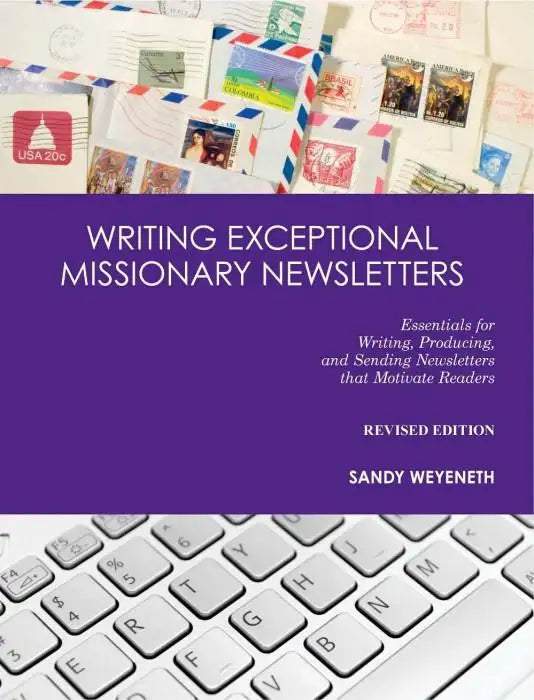
Writing Exceptional Missionary Newsletters
Sandy Weyeneth started full time ministry with The Navigators in 1984. The newsletter learning curve began after one of her prayer letters was "reopened" and subsequently rewritten! She worked for The Navigators Staff Funding Department and coached hundreds of missionaries to create exceptional newsletters and communication pieces.
Want to write a newsletter or e-mail that friends will read instead of merely scan?
Writing Exceptional Missionary Newsletters shows anyone who writes personal ministry newsletters how to captivate readers. This revised edition offers more ideas for better online communication like e-mail and Facebook. It shows how to increase your letter’s impact and provides tips for how often to send your newsletters, e-newsletters, and posts. It is for seasoned and new missionaries, church leaders, mission organizations, mission boards, and any person encouraging missionaries to communicate well.
• The key secret to an exceptional newsletter
• What not to do with a photo
• Fresh topic ideas for newsletters
• Tips for effective online communication—e-mail, Facebook, websites and more
• What most missionaries miss in their newsletters and communication
• Simple ways to dramatically take your writing to the next level
• Tips for sending newsletters from overseas
-
Sandy hit a home run with her book. It fills a huge gap in missions. For over thirty years I have trained and coached missionaries to raise their support. I pound the table about how vital it is to not only communicate regularly with their partners who generously give and pray, but also how essential it is for their communications to be well written. “Writing Exceptional Missionary Newsletters” should be on the required reading list for any missionary who raises support.
— Ellis Goldstein, National Director of Ministry Partner Development for Cru -
Sandy has done an outstanding job of telling us how to build a partnership relationship with donors through motivating newsletters in very specific and practical ways.
— Jerry Bridges, author of The Pursuit of Holiness and other bestsellers -
Sandy has done the hard work of diving into the details to help mediocre writers become good and to help good writers become even better. You won’t be disappointed.
— Scott Morton, author of Funding Your Ministry -
This book is a “must read” for all missionaries who want to communicate effectively with their prayer and donor support teams. It is packed with practical ideas and examples. I have used many of the lessons from this book which has also become my reference “Bible” in writing prayer letters.
— Bob Reehm, Navigator Representative and author -
This book stirred my motivation for effective communication and gave practical helps. I used two of the ideas in an appeal letter and God brought an increase in funds.
— Mike Schmid, Navigator Representative -
Sometimes people lose interest in a ministry because of meager newsletters. Sandy brings a fresh and visual approach to help mission workers improve how they communicate on paper. Easy step-by-step processes, quality examples, helpful checklists, and fun anecdotes make this book necessary for any communicator.
— Rev. Skip Taylor, Training Director for International Christian Ministries -
For seven years, I served as senior pastor to a church that sponsored sixteen missionaries. Some of their newsletters garnered little attention; others gripped my heart. This book shows how to capture the reader’s heart. It is necessary for any missionary seeking to cultivate a broad and effective support base, and multiply his or her work for the Kingdom of God.
— Roger VanDerWerken, U.S. Navy Chaplain and author -
I wish this had been available to me years ago. I heartily recommend it.
— Dr. Jerry White, former International Director of The Navigators
Table of Contents:
Acknowledgments
Dedication
Definitions and Icons Used
Introduction
PART I – ESSENTIALS FOR WRITING NEWSLETTERS
Chapter One – Why Write a Newsletter?
1. Newsletters Generate Prayer
2. Newsletters Show What God Is Doing
3. Newsletters Illustrate the Ministry and Inspire Continued Financial Support
4. Newsletters Offer Ministry Ideas
5. Newsletters Broaden Exposure to Missions
6. Newsletters Communicate Thanks
Chapter Two – Tips for Excellent Writing
Tip 1: Include a Story
Tip 2: Begin With a Bang
Tip 3: Add a Picture and a Caption
Tip 4: Choose One Theme
Tip 5: Use Appealing Graphics, Design, and Layout
Tip 6: Write With Vitality
Tip 7: Personalize It
Tip 8: Get Feedback
PART II – Essentials for Producing and SENDING Newsletters
Chapter Three – Production and Strategy Essentials
1. How Many People Should I Have On My Mailing List?
2. How Often Should I Send A Newsletter?
3. Should I Write Personal Notes on Each Newsletter?
4. How Do I Avoid Last-minute Chaos?
5. Should I Mention Financial Needs?
6. How Can I Segment My Mailing List to Manage Communication Issues?
7. What Can I Write about While Serving in Administration or Leadership?
Chapter Four – Sending and Mailing Essentials
1. Should I Mail My Newsletter With First Class Postage?
2. How Can I Get Address Updates Quicker?
3. How Can I Save Time and Money?
4. What Should I Do If I Have Not Sent a Newsletter for Ten Months?
5. What If I Cannot Afford to Send a Newsletter?
Chapter Five – E-mail, Facebook, Websites, and More
1. E-mail
2. Social Media
3. Other
Chapter Six – Sending Newsletters While Living Overseas
1. How Do I Send Newsletters When I Live Outside of My Home Country?
2. What if I Am on Home Ministry Assignment (Furlough)?
Chapter Seven - Final Thoughts
APPENDIX
Checklist for Writing a Newsletter
Checklist for Editing and Proofing a Newsletter
Checklist for Keeping Donors Once You Get Them
Examples of Donor Letters
Fifty Ways of Saying “Thank You” to Your Giving Partners
Bible Study on How a Thankful Spirit Transforms Newsletters
REFERENCES
RESOURCES
Author
-
Sandy M. Weyeneth
Sandy M. Weyeneth
Sandy Weyeneth started full time ministry with The Navigators in 1984. The newsletter learning curve began after one of her prayer letters was "reopened" and subsequently rewritten! She worked for The Navigators Staff Funding Department and coached hundreds of missionaries to create exceptional newsletters and communication pieces.
- Pages: 158
- Publisher:
William Carey Publishing
William Carey Publishing
- Binding: Paperback
- Publish Year: 2013
- Vendor: William Carey Library
You may also like


