

Resources that edify, equip, and empower disciples of Jesus to make disciples of Jesus.

One Gospel for All Nations

A Practical Approach to Biblical Contextualization
Brad Vaughn

William Carey Publishing customer support: publishing@wclbooks.com
Lumina Reader technical customer support: support@luminareader.com

Getting Started

How do I purchase an eBook?
  • Go to missionbooks.org and complete checkout with the eBook(s) you would like to purchase.
  • You will receive an order confirmation email from missionbooks.org.
  • You will also receive an email with instructions for accessing your eBooks in the Lumina app.

Check your spam folder if you do not see the login code. If you do not receive the second email, contact publishing@wclbooks.com.

International users receive regional pricing when purchasing through missionbooks.org rather than through an in-app purchase.

What devices can I access my eBooks on?
  • iPhone and iPad running iOS 15.5 or later
  • Android phones and tablets running Android 8.0 or later
  • macOS desktops and laptops, using the iOS app
  • Any device with a web browser at Lumina Reader web platform

Older devices may run more slowly. Keep your device and app up to date for the best experience.

How do I download the Lumina Reader app?

Search for “Lumina Reader” in the Apple App Store or Google Play Store. Log in using the same email address you used at missionbooks.org. The app is not compatible with Amazon Kindle devices.

How do I log in to the Lumina Reader app?

Lumina Reader uses passwordless login.

  1. Open the Lumina Reader app.
  2. Enter the email address used at missionbooks.org.
  3. Check your email for a six-digit login code.
  4. Enter the code in the app.

You will remain logged in and retain access to your eBooks. If you log out, your library, reading progress, notes, and highlights remain saved, but you will need to download your eBooks again.

I can’t see my eBooks. What can I do?

Your eBooks should appear automatically when you log in with the email used at missionbooks.org. If they do not:

  • Confirm that you are using the correct email address. You can find the signed-in address on the Profile page.
  • Pull down from the top of the library screen to refresh it.
  • Update Lumina Reader through your device’s app store.

If your resources still do not appear, contact Lumina Customer Service.

Is there a Windows app for Lumina?

There is currently no Windows app. Windows users can access their eBooks through the Lumina Reader web platform.

Is there an Apple app for Lumina?

Yes. Lumina Reader is available in the Apple App Store for Mac, iPhone, and iPad.

Can the Lumina Reader app read the book aloud?

Yes. With an eBook open, tap the center of the screen to show settings. Select the megaphone icon in the top bar to read the current page aloud.

This feature is not available in the web-browser version.

Can I change the font size?

Yes. You can change font size, line height, and page margins in profile settings or within an eBook. While reading, tap the top center of the screen and select the “T” icon.

Web Version

How do I access the web version?
  1. Open Safari, Chrome, Firefox, or another preferred browser.
  2. Go to hub.luminareader.com.
  3. Log in with the email address used at missionbooks.org.
  4. Enter the six-digit code sent to your email.

Once logged in, you will have access to your eBooks.

How do I troubleshoot the web version?
  • Make sure you have a stable internet connection.
  • Clear your browser cache and cookies.
  • Use a current version of Safari, Chrome, or Firefox.
  • Confirm you are using the same email address used to purchase your eBooks.
  • Refresh your browser.

If problems persist, contact customer service.

App & Device Support

Can I download my content to multiple devices?

Yes. You can use Lumina Reader on up to six devices at the same time, provided you log in with the email address used to purchase the eBook.

To manage devices, go to Account → Registered devices in the app and unlink devices you no longer use.

  1. Install Lumina Reader from your device’s app store.
  2. Log in with the same purchase email address.
  3. Your library should sync automatically.

If access issues continue, refresh your library or log out and back in with the correct email address.

How do I check for the latest Lumina Reader app version?
  • On Apple devices, open the App Store and search for Lumina Reader.
  • On Android devices, open Google Play and search for Lumina Reader.

If an update is available, select Update. If issues remain, try deleting and reinstalling the app. Your eBooks and reading progress are saved to your account, but you will need to download the eBooks again.

How do I delete my Lumina Reader account?

Warning: Deleting your account is permanent. You will lose access to your account activity, preferences, and eBooks.

  1. Open the Lumina Reader app.
  2. Open the Profile tab in the lower-right corner, then select Account.
  3. Scroll to the bottom, select Delete account, confirm the checkboxes, then select Continue and delete account.

Some information may be retained for lawful reasons, including fraud prevention and accounting.

Can I get a refund for an eBook?

If you ordered an eBook by mistake, do not download it in the Lumina app. William Carey Publishing can then cancel the order and issue a full refund.

If you have downloaded it, access can still be removed and the order cancelled, but processing may take longer.

Can I buy an eBook as a gift for someone else?
  • Enter the recipient’s email address when purchasing the book.
  • The recipient will receive an email with download instructions.
  • For multiple recipients, purchase each book separately using each recipient’s email address.

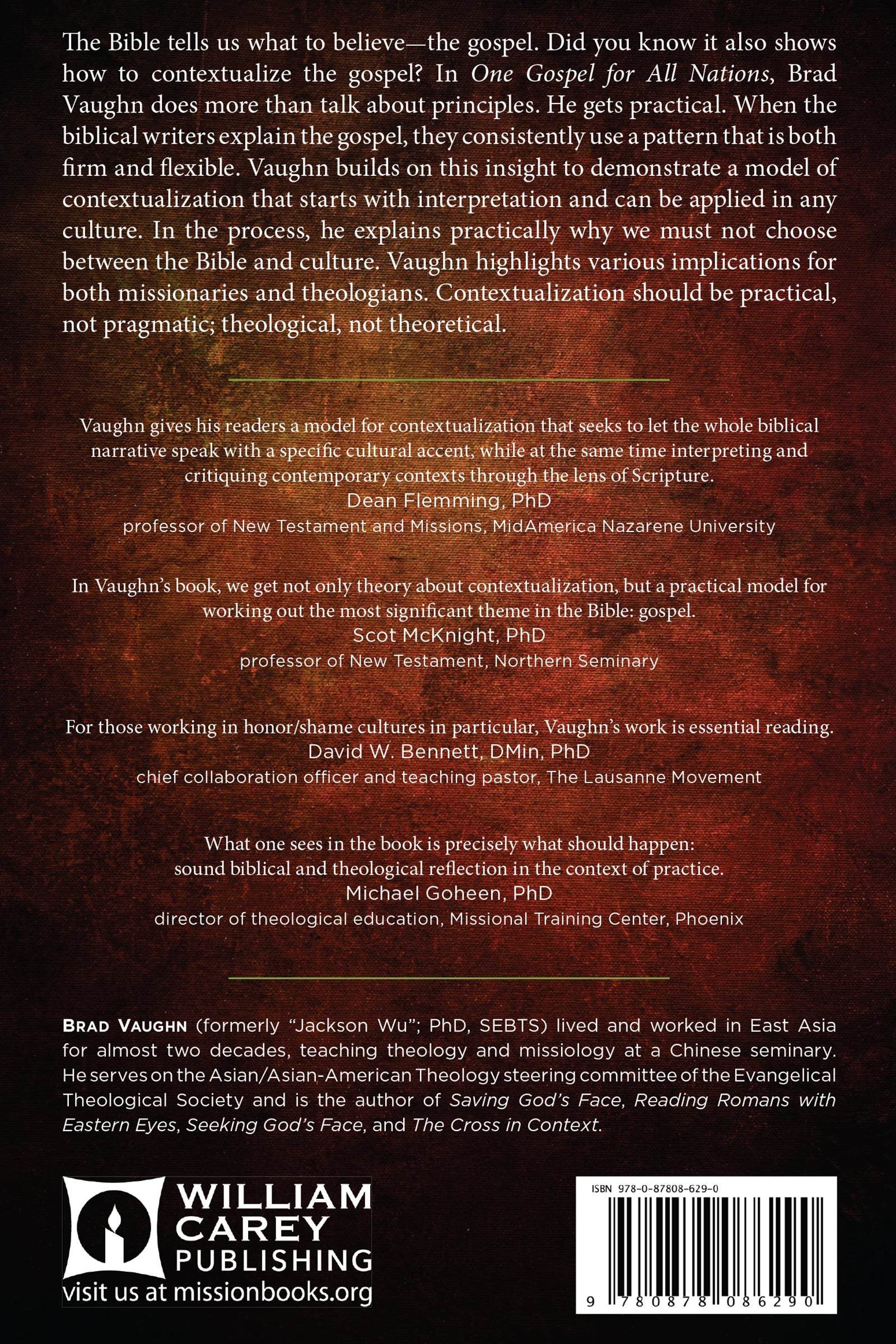
The Bible tells us what to believe––the gospel. But did you know it also shows how to contextualize the gospel?

In One Gospel for All Nations, Brad Vaughn (formerly Jackson Wu) does more than talk about principles. He gets practical. When the biblical writers explain the gospel, they consistently use a pattern that is both firm and flexible. Vaughn builds on this insight to demonstrate a model of contextualization that starts with interpretation and can be applied in any culture. In the process, he explains practically why we must not choose between the Bible and culture. Vaughn highlights various implications for both missionaries and theologians. Contextualization should be practical, not pragmatic; theological, not theoretical.

  • Vaughn gives his readers a model for contextualization that seeks to let the whole biblical narrative speak with a specific cultural accent, while at the same time interpreting and critiquing contemporary contexts through the lens of Scripture. But the real strength of this book comes when Vaughn shows us how his model works out in practice, as he beautifully retells the biblical story for Chinese people. 
    Dean Flemming, PhD Professor of New Testament and Missions, MidAmerica Nazarene University author of Contextualization in the New Testament
  • In Vaughn's book, we get not only theory about contextualization but a practical model for working out the most significant theme in the Bible: gospel. Entering into this book is to enter into recent biblical discussions about the gospel and missiology's theories about contextualization. Vaughn even takes us to the heart of the matter when he shows what gospel looks like in the Chinese culture.
    Scot McKnight, PhD professor of New Testament, Northern Seminary author of The King Jesus Gospel
  • What one sees in the book is precisely what should happen: sound biblical and theological reflection in the context of practice. As he seeks to answer the concrete question "how do we contextualize the gospel?" He thinks more deeply and not less.
    Michael Goheen PhD, Director of Theological Education, Missional Training Center, Phoenix, author of The Drama of Scripture
  • One sign of an excellent book is the number and variety of people with whom one is eager to share it. Again and again as I read One Gospel for All Nations, names of colleagues came to mind.... In short, I would commend this book to anyone who wants to understand the Bible more fully or to communicate its message more clearly to others, locally or internationally. For those working in honor/shame cultures in particular, Vaughn's work is essential reading.
    David W. Bennett, DMin PhD chief collaboration officer and teaching pastor The Lausanne Movement
  • Vaughn's book calls us into a serious reflection in the work of contextualization and meaningful presentation of the Gospel. Vaughn offers a timeless perspective that is both theological and practical. I highly recommend your attention to One Gospel for All Nations.
    Rev. Samuel E. Chiang President and CEO, Seed Company

Foreword xi

  • Introduction: Biblically Faithful and Culturally Meaningful? xvii
  1. 1. Context Is King: A New Perspective on Contextualization 1
  2. 2. A Common Problem: Compromising the Gospel by Settling for Truth 17
  3. 3. Pattern: How Does the Bible Frame the Gospel? 29
  4. 4. Priority: What Questions Does the Gospel Answer? 55
  5. 5. Perspective: What Is an “Implicit Gospel”? 77
  6. 6. Process: How Do We Move from Biblical Text to Cultural Context?
  7. 7. A Jewish Gospel among Gentiles: Using Acts 17 as a Test Case 115
  8. 8. Chinese Biblical Theology: An Example of Exegetical Contextualization 127
  9. 9. The Gospel with Chinese Characteristics: An Example of Cultural Contextualization 147
  10. 10. Contextualizing Our Ministry: Implications for Strategy and Training 175
  11. 11. Cultural Lenses: Can We Use Contemporary Culture to Interpret Scripture? 183
  • Appendix 1 199
  • Appendix 2 205
  • Appendix 3 215
  • Notes (Endnotes) 223
  • Bibliography 243
  • Index 255
  • Author

    • Brad Vaughn
    • Pages: 298
    • Publisher: William Carey Publishing
      William Carey Publishing
    • Binding: Paperback
    • Publish Year: 2015
    • ISBN: 9780878086290
    • Vendor: William Carey Library
    Cannot place order, conditions not met:
    OK