
Resources that edify, equip, and empower disciples of Jesus to make disciples of Jesus.

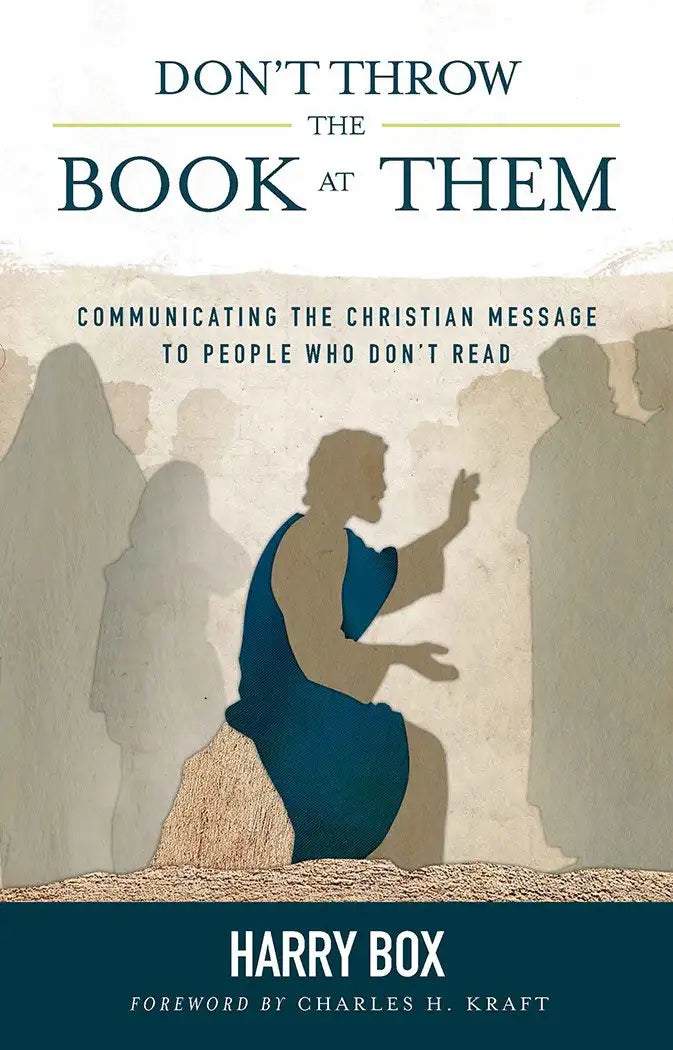
Don’t Throw the Book at Them

Communicating the Christian Message to People Who Don't Read
Harry Box
Harry Box

Harry Box comes originally from Melbourne, Australia, and holds graduate degrees in missiology from Fuller Theological Seminary's School of Intercultural Studies.  His research has focused on communicating to oral, event-oriented people.  Harry's experience includes fifteen years in Papua New Guinea recording gospel messages in some of the eight hundred languages of that country, working among the Aborigines of Central Australia, training cross-cultural missionaries, and lecturing in missiology at theological institutions.  Harry and his wife, Carole, have two sons, Darren and Kingsley.

(Author)

William Carey Publishing customer support: publishing@wclbooks.com
Lumina Reader technical customer support: support@luminareader.com

Getting Started

How do I purchase an eBook?
  • Go to missionbooks.org and complete checkout with the eBook(s) you would like to purchase.
  • You will receive an order confirmation email from missionbooks.org.
  • You will also receive an email with instructions for accessing your eBooks in the Lumina app.

Check your spam folder if you do not see the login code. If you do not receive the second email, contact publishing@wclbooks.com.

International users receive regional pricing when purchasing through missionbooks.org rather than through an in-app purchase.

What devices can I access my eBooks on?
  • iPhone and iPad running iOS 15.5 or later
  • Android phones and tablets running Android 8.0 or later
  • macOS desktops and laptops, using the iOS app
  • Any device with a web browser at Lumina Reader web platform

Older devices may run more slowly. Keep your device and app up to date for the best experience.

How do I download the Lumina Reader app?

Search for “Lumina Reader” in the Apple App Store or Google Play Store. Log in using the same email address you used at missionbooks.org. The app is not compatible with Amazon Kindle devices.

How do I log in to the Lumina Reader app?

Lumina Reader uses passwordless login.

  1. Open the Lumina Reader app.
  2. Enter the email address used at missionbooks.org.
  3. Check your email for a six-digit login code.
  4. Enter the code in the app.

You will remain logged in and retain access to your eBooks. If you log out, your library, reading progress, notes, and highlights remain saved, but you will need to download your eBooks again.

I can’t see my eBooks. What can I do?

Your eBooks should appear automatically when you log in with the email used at missionbooks.org. If they do not:

  • Confirm that you are using the correct email address. You can find the signed-in address on the Profile page.
  • Pull down from the top of the library screen to refresh it.
  • Update Lumina Reader through your device’s app store.

If your resources still do not appear, contact Lumina Customer Service.

Is there a Windows app for Lumina?

There is currently no Windows app. Windows users can access their eBooks through the Lumina Reader web platform.

Is there an Apple app for Lumina?

Yes. Lumina Reader is available in the Apple App Store for Mac, iPhone, and iPad.

Can the Lumina Reader app read the book aloud?

Yes. With an eBook open, tap the center of the screen to show settings. Select the megaphone icon in the top bar to read the current page aloud.

This feature is not available in the web-browser version.

Can I change the font size?

Yes. You can change font size, line height, and page margins in profile settings or within an eBook. While reading, tap the top center of the screen and select the “T” icon.

Web Version

How do I access the web version?
  1. Open Safari, Chrome, Firefox, or another preferred browser.
  2. Go to hub.luminareader.com.
  3. Log in with the email address used at missionbooks.org.
  4. Enter the six-digit code sent to your email.

Once logged in, you will have access to your eBooks.

How do I troubleshoot the web version?
  • Make sure you have a stable internet connection.
  • Clear your browser cache and cookies.
  • Use a current version of Safari, Chrome, or Firefox.
  • Confirm you are using the same email address used to purchase your eBooks.
  • Refresh your browser.

If problems persist, contact customer service.

App & Device Support

Can I download my content to multiple devices?

Yes. You can use Lumina Reader on up to six devices at the same time, provided you log in with the email address used to purchase the eBook.

To manage devices, go to Account → Registered devices in the app and unlink devices you no longer use.

  1. Install Lumina Reader from your device’s app store.
  2. Log in with the same purchase email address.
  3. Your library should sync automatically.

If access issues continue, refresh your library or log out and back in with the correct email address.

How do I check for the latest Lumina Reader app version?
  • On Apple devices, open the App Store and search for Lumina Reader.
  • On Android devices, open Google Play and search for Lumina Reader.

If an update is available, select Update. If issues remain, try deleting and reinstalling the app. Your eBooks and reading progress are saved to your account, but you will need to download the eBooks again.

How do I delete my Lumina Reader account?

Warning: Deleting your account is permanent. You will lose access to your account activity, preferences, and eBooks.

  1. Open the Lumina Reader app.
  2. Open the Profile tab in the lower-right corner, then select Account.
  3. Scroll to the bottom, select Delete account, confirm the checkboxes, then select Continue and delete account.

Some information may be retained for lawful reasons, including fraud prevention and accounting.

Can I get a refund for an eBook?

If you ordered an eBook by mistake, do not download it in the Lumina app. William Carey Publishing can then cancel the order and issue a full refund.

If you have downloaded it, access can still be removed and the order cancelled, but processing may take longer.

Can I buy an eBook as a gift for someone else?
  • Enter the recipient’s email address when purchasing the book.
  • The recipient will receive an email with download instructions.
  • For multiple recipients, purchase each book separately using each recipient’s email address.
Don’t Throw the Book at Them addresses one of the most vital issues in contemporary missions. It is a manual for cross-cultural missionaries and national church leaders ministering in societies based on oral rather than written communication.

Harry Box is a former missionary and researcher in Papua New Guinea and among the Aborigines of Central Australia. In this book, he explains the distinct characteristics of oral societies, how they differ from literacy-oriented societies, Jesus’ ministry to oral communicators, and why effective presentation of the Christian message demands that Western Christians change their approach to orality. He goes beyond case studies and analysis, allowing the reader to develop a detailed plan for communication.

  • Let me state right at the start that the research in this book is excellent. It is a must-read not just for prospective missionaries but for any person in the communications business. It is for teachers and preachers, for broadcasters and publishers alike. . . I find the book as a great teaching tool with good research and easy-to-follow ideas that can be adapted to any curriculum. I also see it as essential material to teach any communicator, preacher, or missionary in the church.  There are some startling revelations in the book about biblical history and culture, which help any communicator add to the quality of their message. So once again, if you are looking for a book that can equip you in communicating, especially cross-culturally, this is a helpful tool.
    — Pastor Ian John Batley, BA Adult Ed.; MA Clinical Pastoral Education
  • Harry Box has been a pioneer in the field of communicating the Christian message to those we now refer to as oral communicators. I first encountered his work in the year 2000 soon after taking over as Australian CEO of Global Recordings Network (then Language Recordings Inc and formerly, Gospel Recordings.) Reading his unpublished Doctoral Thesis on “Communicating Christianity to Oral Event Oriented People” written in 1992 challenged and changed my whole approach to communication – especially 'Gospel' communication. Harry's careful research and excellent case studies convinced me that generally as Westerners we had failed to adequately understand the communication preferences of much of the world's population. Today as we continue to grow in our understanding of learning and communication styles and recognised that even many highly literate people are still by preference oral learners, Harry's work is as important as ever. I am delighted to see the fruit of Harry's work now made available in “Don't throw the book at them.” It is, in my opinion, a must read for all who are committed to effective Gospel Communication in our culturally diverse world. It has important implications for almost every area of Christian ministry.
    — Graydon Colville, International Director Global Recordings Network
  • “This is a brilliant book!”, shares Charles H Kraft - missionary, linguist and recently retired Emeritus Professor of Anthropology and Intercultural Communication at Fuller Seminary. Harry Box (MBI graduate of 1962) has written what may well prove a strategy-changing message for evangelical missionary societies. As you read these words now, pause and thank God for that ability. For you and I are part of the one third of the adult world who are literate. Yet 65-70% of men and women around the world are still unable to pick up written material with even basic levels of comprehension. This is an ordered, logical book arguing that oral communication was Jesus’ primary method of communicating with His disciples. Jesus communicated in Aramaic, which was off limits for translating the Old Testament. Jesus spoke in poetic forms which could be more easily memorized by his listeners. Harry’s thesis is commended by Bible societies and by Wycliffe Bible Translators. For mission leaders, young and older thinkers, and missiology strategists, this book is a must. Harry received his PhD for this ground breaking work.
    — Ambassador Magazine- Spring 2015

List of Figures
List of Abbreviations
Foreword. Introduction

1. Understanding Oral Communicators
2. Contemporary Oral Communities and Their Communicational Skills
3. Why Didn’t Jesus Write a Book? The Ministry Of Jesus
to an Oral, Event-oriented Community
4. The Original Presentation of the Old Testament Scriptures
5. Principles Involved in Communicating to Oral Societies
6. Making the Christian Message Live in Oral Societies
7. Developing Christian Leadership in Oral Societies
8. The Place of Literacy in Oral Societies
9. Developing an Effective Communication Plan for
Ministry to Oral Communicators

Conclusion
Appendix A: The Use of Audio Equipment and
Cassettes in Oral Societies
Appendix B: The Use of Visuals with Oral Communicators. References. Index

Author

  • Harry Box
    Harry Box

    Harry Box comes originally from Melbourne, Australia, and holds graduate degrees in missiology from Fuller Theological Seminary's School of Intercultural Studies.  His research has focused on communicating to oral, event-oriented people.  Harry's experience includes fifteen years in Papua New Guinea recording gospel messages in some of the eight hundred languages of that country, working among the Aborigines of Central Australia, training cross-cultural missionaries, and lecturing in missiology at theological institutions.  Harry and his wife, Carole, have two sons, Darren and Kingsley.

  • Pages: 240
  • Publisher: William Carey Publishing
    William Carey Publishing
  • Binding: Paperback
  • Publish Year: 2014
  • ISBN: 9780878088652
  • Vendor: William Carey Library
Cannot place order, conditions not met:
OK