
Resources that edify, equip, and empower disciples of Jesus to make disciples of Jesus.

Environmental Missions

Planting Churches and Trees
Lowell Bliss
Lowell Bliss

Lowell Bliss is the director of Eden Vigil, an environmental missions organization launched by Christar in 2009. Lowell led the writing team for the Lausanne Global Consultation on Creation Care and the Gospel “Call to Action” and is one of the few evangelical Climate Leaders with the Climate Reality Project. He and his wife, Robynn (co-author of Expectations and Burnout), were church planting missionaries for fourteen years in India and Pakistan. They now reside with their three children in the tallgrass prairie ecosystem of Kansas.

(Author)

William Carey Publishing customer support: publishing@wclbooks.com
Lumina Reader technical customer support: support@luminareader.com

Getting Started

How do I purchase an eBook?
  • Go to missionbooks.org and complete checkout with the eBook(s) you would like to purchase.
  • You will receive an order confirmation email from missionbooks.org.
  • You will also receive an email with instructions for accessing your eBooks in the Lumina app.

Check your spam folder if you do not see the login code. If you do not receive the second email, contact publishing@wclbooks.com.

International users receive regional pricing when purchasing through missionbooks.org rather than through an in-app purchase.

What devices can I access my eBooks on?
  • iPhone and iPad running iOS 15.5 or later
  • Android phones and tablets running Android 8.0 or later
  • macOS desktops and laptops, using the iOS app
  • Any device with a web browser at Lumina Reader web platform

Older devices may run more slowly. Keep your device and app up to date for the best experience.

How do I download the Lumina Reader app?

Search for “Lumina Reader” in the Apple App Store or Google Play Store. Log in using the same email address you used at missionbooks.org. The app is not compatible with Amazon Kindle devices.

How do I log in to the Lumina Reader app?

Lumina Reader uses passwordless login.

  1. Open the Lumina Reader app.
  2. Enter the email address used at missionbooks.org.
  3. Check your email for a six-digit login code.
  4. Enter the code in the app.

You will remain logged in and retain access to your eBooks. If you log out, your library, reading progress, notes, and highlights remain saved, but you will need to download your eBooks again.

I can’t see my eBooks. What can I do?

Your eBooks should appear automatically when you log in with the email used at missionbooks.org. If they do not:

  • Confirm that you are using the correct email address. You can find the signed-in address on the Profile page.
  • Pull down from the top of the library screen to refresh it.
  • Update Lumina Reader through your device’s app store.

If your resources still do not appear, contact Lumina Customer Service.

Is there a Windows app for Lumina?

There is currently no Windows app. Windows users can access their eBooks through the Lumina Reader web platform.

Is there an Apple app for Lumina?

Yes. Lumina Reader is available in the Apple App Store for Mac, iPhone, and iPad.

Can the Lumina Reader app read the book aloud?

Yes. With an eBook open, tap the center of the screen to show settings. Select the megaphone icon in the top bar to read the current page aloud.

This feature is not available in the web-browser version.

Can I change the font size?

Yes. You can change font size, line height, and page margins in profile settings or within an eBook. While reading, tap the top center of the screen and select the “T” icon.

Web Version

How do I access the web version?
  1. Open Safari, Chrome, Firefox, or another preferred browser.
  2. Go to hub.luminareader.com.
  3. Log in with the email address used at missionbooks.org.
  4. Enter the six-digit code sent to your email.

Once logged in, you will have access to your eBooks.

How do I troubleshoot the web version?
  • Make sure you have a stable internet connection.
  • Clear your browser cache and cookies.
  • Use a current version of Safari, Chrome, or Firefox.
  • Confirm you are using the same email address used to purchase your eBooks.
  • Refresh your browser.

If problems persist, contact customer service.

App & Device Support

Can I download my content to multiple devices?

Yes. You can use Lumina Reader on up to six devices at the same time, provided you log in with the email address used to purchase the eBook.

To manage devices, go to Account → Registered devices in the app and unlink devices you no longer use.

  1. Install Lumina Reader from your device’s app store.
  2. Log in with the same purchase email address.
  3. Your library should sync automatically.

If access issues continue, refresh your library or log out and back in with the correct email address.

How do I check for the latest Lumina Reader app version?
  • On Apple devices, open the App Store and search for Lumina Reader.
  • On Android devices, open Google Play and search for Lumina Reader.

If an update is available, select Update. If issues remain, try deleting and reinstalling the app. Your eBooks and reading progress are saved to your account, but you will need to download the eBooks again.

How do I delete my Lumina Reader account?

Warning: Deleting your account is permanent. You will lose access to your account activity, preferences, and eBooks.

  1. Open the Lumina Reader app.
  2. Open the Profile tab in the lower-right corner, then select Account.
  3. Scroll to the bottom, select Delete account, confirm the checkboxes, then select Continue and delete account.

Some information may be retained for lawful reasons, including fraud prevention and accounting.

Can I get a refund for an eBook?

If you ordered an eBook by mistake, do not download it in the Lumina app. William Carey Publishing can then cancel the order and issue a full refund.

If you have downloaded it, access can still be removed and the order cancelled, but processing may take longer.

Can I buy an eBook as a gift for someone else?
  • Enter the recipient’s email address when purchasing the book.
  • The recipient will receive an email with download instructions.
  • For multiple recipients, purchase each book separately using each recipient’s email address.
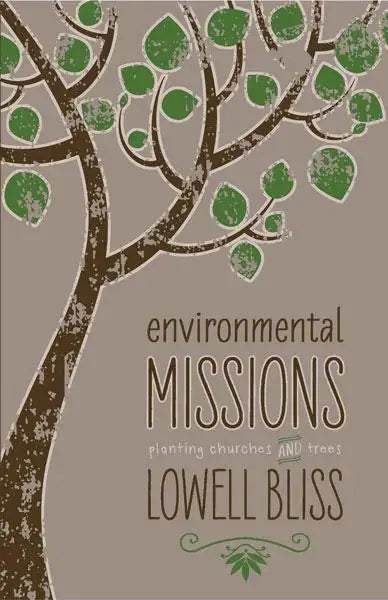
Environmental Missions defines an emerging category in missions, one that takes seriously both the mandate to evangelize the world and the responsibility of caring for God’s good earth. Lowell Bliss was a traditional church planting missionary in India when his best Hindu friend there died of malaria. This was just one of the events that led him to reexamine the politically charged term “environment,” understanding it now as simply “that which surrounds those we love, those for whom Jesus died.” In other words, the church is called to reach not only vulnerable people but the space in which they live and breathe.

Pointing to the narrative of Scripture and the history of missions, Bliss shows us that the gospel of Jesus Christ is good news for the whole creation, that we must unite two traditionally separate endeavors to fulfill the entirety of God’s commission, and that the challenge of the environmental crises of our day is also one of our greatest opportunities to reach the least reached with the love of Christ.

  • It is a privilege to accompany Lowell through the twists and turns of his reflection.... We can all pray that the profound and heartfelt experiences and longings that Lowell shares with us in these pages touch our hearts too. The creation is groaning, but the kingdom of God is coming—it is vital that our proclamation of Jesus should bring hope to all creation, and authentic missional callings should, whatever their nature, extend to the healing of our fractured relationship with the world around us that is God’s handiwork, created for his glory and to witness to his character. The inspiration of those like Lowell and Robynn, his wife, who have poured themselves out in pursuit of such callings is a gift indeed.
    — Peter Harris, founder of A Rocha, in the Foreword

Foreword by Peter Harris

Preface

Acknowledgments

1. Three Ways Missionaries Clear the Polluted Air
2. What Is Environmental Missions?
3. William Carey, an Environmental Missionary
4. Profile of an Environmental Missions Field
5. Old Testament Basis: A Mandate to Bless
6. New Testament Basis: Jesus the Reconciler
7. Environmental Missions and the Future of Creation
8. Praxis: Bible in One Hand, Shovel in Another
9. Sin as Unfaithful Stewardship
10. The Environmental Missionary’s Gospel: A New Story for a New Man
11. Prayer: Mining for Worship and Wisdom
12. Topics in Environmental Missions

Epilogue: Putting Wheels on the Vehicle

Appendix 1: The Lausanne Global Consultation on Creation Care and the Gospel: Call to Action

Appendix 2: Origin of the Terms: A Brief Survey

Appendix 3: Lessons from Four Environmental Mission Leaders

Bibliography

Index

Author

  • Lowell Bliss
    Lowell Bliss

    Lowell Bliss is the director of Eden Vigil, an environmental missions organization launched by Christar in 2009. Lowell led the writing team for the Lausanne Global Consultation on Creation Care and the Gospel “Call to Action” and is one of the few evangelical Climate Leaders with the Climate Reality Project. He and his wife, Robynn (co-author of Expectations and Burnout), were church planting missionaries for fourteen years in India and Pakistan. They now reside with their three children in the tallgrass prairie ecosystem of Kansas.

  • Pages: 348
  • Publisher: William Carey Publishing
    William Carey Publishing
  • Binding: Paperback
  • Publish Year: 2013
  • ISBN: 9780878085385
  • Vendor: William Carey Library
Cannot place order, conditions not met:
OK