
Resources that edify, equip, and empower disciples of Jesus to make disciples of Jesus.

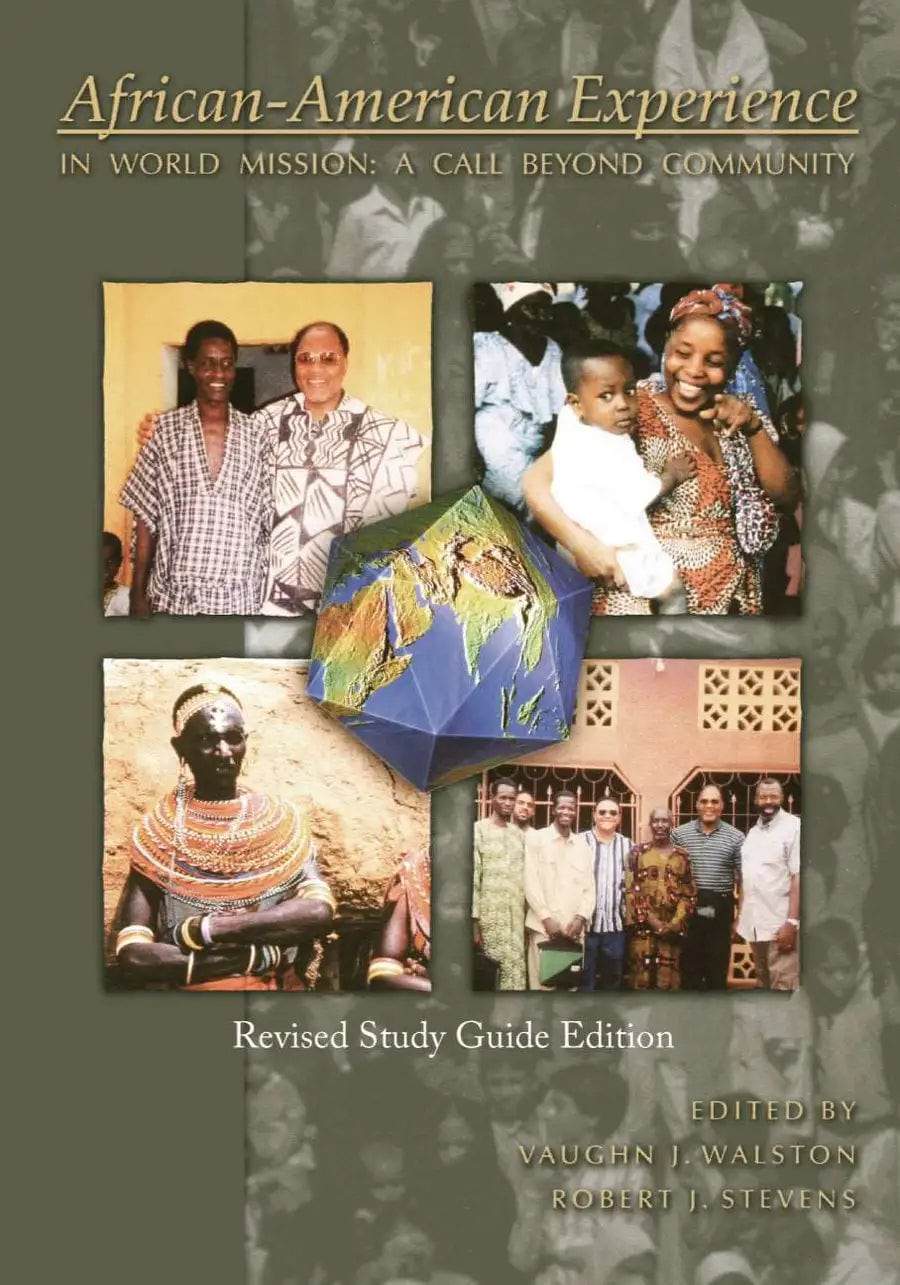
African-American Experience in World Mission (Revised Study Guide Edition)

A Call Beyond Community
Vaughn J. Walston (Editor), Robert J. Stevens (Editor)

William Carey Publishing customer support: publishing@wclbooks.com
Lumina Reader technical customer support: support@luminareader.com

Getting Started

How do I purchase an eBook?
  • Go to missionbooks.org and complete checkout with the eBook(s) you would like to purchase.
  • You will receive an order confirmation email from missionbooks.org.
  • You will also receive an email with instructions for accessing your eBooks in the Lumina app.

Check your spam folder if you do not see the login code. If you do not receive the second email, contact publishing@wclbooks.com.

International users receive regional pricing when purchasing through missionbooks.org rather than through an in-app purchase.

What devices can I access my eBooks on?
  • iPhone and iPad running iOS 15.5 or later
  • Android phones and tablets running Android 8.0 or later
  • macOS desktops and laptops, using the iOS app
  • Any device with a web browser at Lumina Reader web platform

Older devices may run more slowly. Keep your device and app up to date for the best experience.

How do I download the Lumina Reader app?

Search for “Lumina Reader” in the Apple App Store or Google Play Store. Log in using the same email address you used at missionbooks.org. The app is not compatible with Amazon Kindle devices.

How do I log in to the Lumina Reader app?

Lumina Reader uses passwordless login.

  1. Open the Lumina Reader app.
  2. Enter the email address used at missionbooks.org.
  3. Check your email for a six-digit login code.
  4. Enter the code in the app.

You will remain logged in and retain access to your eBooks. If you log out, your library, reading progress, notes, and highlights remain saved, but you will need to download your eBooks again.

I can’t see my eBooks. What can I do?

Your eBooks should appear automatically when you log in with the email used at missionbooks.org. If they do not:

  • Confirm that you are using the correct email address. You can find the signed-in address on the Profile page.
  • Pull down from the top of the library screen to refresh it.
  • Update Lumina Reader through your device’s app store.

If your resources still do not appear, contact Lumina Customer Service.

Is there a Windows app for Lumina?

There is currently no Windows app. Windows users can access their eBooks through the Lumina Reader web platform.

Is there an Apple app for Lumina?

Yes. Lumina Reader is available in the Apple App Store for Mac, iPhone, and iPad.

Can the Lumina Reader app read the book aloud?

Yes. With an eBook open, tap the center of the screen to show settings. Select the megaphone icon in the top bar to read the current page aloud.

This feature is not available in the web-browser version.

Can I change the font size?

Yes. You can change font size, line height, and page margins in profile settings or within an eBook. While reading, tap the top center of the screen and select the “T” icon.

Web Version

How do I access the web version?
  1. Open Safari, Chrome, Firefox, or another preferred browser.
  2. Go to hub.luminareader.com.
  3. Log in with the email address used at missionbooks.org.
  4. Enter the six-digit code sent to your email.

Once logged in, you will have access to your eBooks.

How do I troubleshoot the web version?
  • Make sure you have a stable internet connection.
  • Clear your browser cache and cookies.
  • Use a current version of Safari, Chrome, or Firefox.
  • Confirm you are using the same email address used to purchase your eBooks.
  • Refresh your browser.

If problems persist, contact customer service.

App & Device Support

Can I download my content to multiple devices?

Yes. You can use Lumina Reader on up to six devices at the same time, provided you log in with the email address used to purchase the eBook.

To manage devices, go to Account → Registered devices in the app and unlink devices you no longer use.

  1. Install Lumina Reader from your device’s app store.
  2. Log in with the same purchase email address.
  3. Your library should sync automatically.

If access issues continue, refresh your library or log out and back in with the correct email address.

How do I check for the latest Lumina Reader app version?
  • On Apple devices, open the App Store and search for Lumina Reader.
  • On Android devices, open Google Play and search for Lumina Reader.

If an update is available, select Update. If issues remain, try deleting and reinstalling the app. Your eBooks and reading progress are saved to your account, but you will need to download the eBooks again.

How do I delete my Lumina Reader account?

Warning: Deleting your account is permanent. You will lose access to your account activity, preferences, and eBooks.

  1. Open the Lumina Reader app.
  2. Open the Profile tab in the lower-right corner, then select Account.
  3. Scroll to the bottom, select Delete account, confirm the checkboxes, then select Continue and delete account.

Some information may be retained for lawful reasons, including fraud prevention and accounting.

Can I get a refund for an eBook?

If you ordered an eBook by mistake, do not download it in the Lumina app. William Carey Publishing can then cancel the order and issue a full refund.

If you have downloaded it, access can still be removed and the order cancelled, but processing may take longer.

Can I buy an eBook as a gift for someone else?
  • Enter the recipient’s email address when purchasing the book.
  • The recipient will receive an email with download instructions.
  • For multiple recipients, purchase each book separately using each recipient’s email address.

In 1822, Betsy Stockton, a freed slave indentured herself to a White family in order to be a blessing to spread the truth of the Gospel on the Sandwich Islands (Hawaii).  In 1920 the Lott Carey Missions Society establishes a mission in the interior of Liberia so that African-Americans could spread the Gospel there.  Today the Cooperative Mission Network of the African Dispersion (COMINAD) is committed to assisting the Black Church to carry the message of the Gospel to the world.

Venture into the world of overseas missions from an African-American perspective. This collection of articles takes you deep into the history of missions in the African-American community. You will learn of the struggles to stay connected to the world of missions in spite of great obstacles. You will read of unique cultural experiences while traveling abroad. You will feel the heart for fulfilling the Great Commission both in the African-American community and beyond.

All text remains the same in this revised edition, with the exception of new study guide questions at the close of each chapter. The questions can be used to help facilitate discussions in Sunday School, Bible study, seminary classes, conference workshops and other group or individual studies.

Foreword

Preface to Second Edition

Preface to First Edition

Acknowledgements

Part I. The Call Beyond Community

1. Moving Beyond the Community by Rebecca Walston & Robert Stevens

2. Missions in the Local Church: Four Pastors’ Perspectives Edited by Rebecca Walston

3. Am I My Brother’s Keeper? The Search for African-American Presence in Missions by Michael Johnson

4. The Role of the African-American Church in Global Evangelization by Vaughn Walston

Part II. African-Americans’ Historical Presence in Missions

5. Black American Missionaries In Africa: 1821-1925 by William Seraile

6. African Missions and The African-American Christian Churches by Sylvia M. Jacobs

7. A Brief Historical Survey of African–American Involvement in International Missions by David Cornelius and Robert Gordon

8. Joseph Jeter by Thomas M. Watkins

9. An Interview with Elder Donald Canty by Wendell Robinson and Virgil Amos, Edited by Southeast Regional Office of USCWM

10. Dr. Ben Johnson An Intellectual Force In Black Missions Movement by Thomas M. Watkins

Part III. African-Americans Crossing Cultures

11. Wanted: Black Missionaries, But How? by Leslie Pelt

12. Back to Africa by Harold R. Isaacs

13. Negro Missionary Reaction to Africa Symposium by Jeanne Davis, Yenwith and Muriel Whitney, Kermit and Irene Overton, and William D. Reyburn

14. Is Anyone Safe Around Here? by Michael Johnson

15. My Experience as a West African Missionary by Daisie Whaley, Edited by Shannon Newlin

16. Central Asia: cross cultural Perceptions and Experiences by Cecil Stewart

17. The Missing Black Missionary by Dick Hillis

Part IV. Connecting to Africa and Other Nations

18. COMINAD and the Adopt-a-Village Initiative: Mobilizing the African-American Church for Missions and Demonstrating Reconciliation to the World by Brian Johnson & Jack Gaines, Sr.

19. How Black is the Harvester? A Profile of the African-American Intercultural Missionary Force, The Extent of the Problem by Jim Sutherland

20. A History of Christianity in Africa by Mark R. Shaw

21. Working in Unity by Brian Johnson

22. The African Christian Fellowship, U.S.A. Strategic Links with the Diaspora and the World by Elijah O. Adeoye & Matthew N. O. Sadiku, Edited by Frank E. Gainer

Part V. The African-American Church and African Mission in the 21st Century

23. The Challenges of an Effective Missionary Strategy by Chinaka S. DomNwachukwu

24. Jesus in African Culture (a Ghanaian perspective) by Kwame Bediako

25. Mobilizing the African-American Church for Global Evangelization by Vaughn Walston

Resource Pages

Bibliography

Index

Editors

  • Pages: 214
  • Publisher: William Carey Publishing
    William Carey Publishing
  • Binding: Paperback
  • Publish Year: 2009
  • ISBN: 9780878084616
  • Vendor: William Carey Publishing
Cannot place order, conditions not met:
OK