
Resources that edify, equip, and empower disciples of Jesus to make disciples of Jesus.

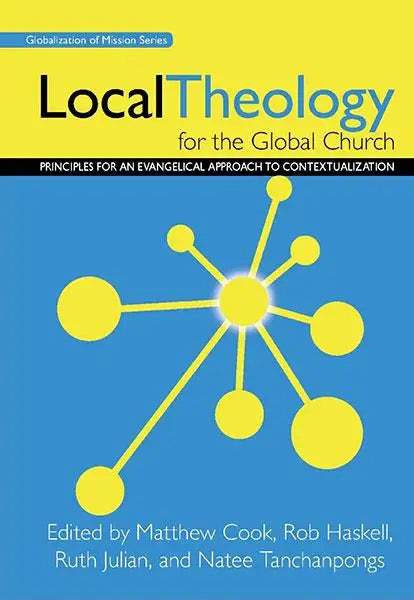
Local Theology for the Global Church

Principles for an Evangelical Approach to Contextualization
Matthew Cook
Matthew Cook

Matt Cook is the Assistant Professor of Bible, Global Missions, and World Religions at Freed-Hardeman University and is the Program Coordinator of the Doctor of Ministry program. Prior to his role at FHU, Matt and his wife Charla were church planters in Cusco, Peru. Matt received a Master of Arts in New Testament and a Master of Divinity (2007) from Freed-Hardeman University, and also received a Th.M. and a Ph.D. (2019) in Missions and World Religions from The Southern Baptist Theological Seminary. His dissertation was focused on diaspora missiology, specifically diaspora missiology in rural areas of Tennessee. He is proud to be from rural West Virginia and in addition to his professor duties, he serves in ministry with a nearby rural church.

(Editor), Rob Haskell (Editor), Ruth Julian (Editor), Natee Tanchanpongs (Editor)

William Carey Publishing customer support: publishing@wclbooks.com
Lumina Reader technical customer support: support@luminareader.com

Getting Started

How do I purchase an eBook?
  • Go to missionbooks.org and complete checkout with the eBook(s) you would like to purchase.
  • You will receive an order confirmation email from missionbooks.org.
  • You will also receive an email with instructions for accessing your eBooks in the Lumina app.

Check your spam folder if you do not see the login code. If you do not receive the second email, contact publishing@wclbooks.com.

International users receive regional pricing when purchasing through missionbooks.org rather than through an in-app purchase.

What devices can I access my eBooks on?
  • iPhone and iPad running iOS 15.5 or later
  • Android phones and tablets running Android 8.0 or later
  • macOS desktops and laptops, using the iOS app
  • Any device with a web browser at Lumina Reader web platform

Older devices may run more slowly. Keep your device and app up to date for the best experience.

How do I download the Lumina Reader app?

Search for “Lumina Reader” in the Apple App Store or Google Play Store. Log in using the same email address you used at missionbooks.org. The app is not compatible with Amazon Kindle devices.

How do I log in to the Lumina Reader app?

Lumina Reader uses passwordless login.

  1. Open the Lumina Reader app.
  2. Enter the email address used at missionbooks.org.
  3. Check your email for a six-digit login code.
  4. Enter the code in the app.

You will remain logged in and retain access to your eBooks. If you log out, your library, reading progress, notes, and highlights remain saved, but you will need to download your eBooks again.

I can’t see my eBooks. What can I do?

Your eBooks should appear automatically when you log in with the email used at missionbooks.org. If they do not:

  • Confirm that you are using the correct email address. You can find the signed-in address on the Profile page.
  • Pull down from the top of the library screen to refresh it.
  • Update Lumina Reader through your device’s app store.

If your resources still do not appear, contact Lumina Customer Service.

Is there a Windows app for Lumina?

There is currently no Windows app. Windows users can access their eBooks through the Lumina Reader web platform.

Is there an Apple app for Lumina?

Yes. Lumina Reader is available in the Apple App Store for Mac, iPhone, and iPad.

Can the Lumina Reader app read the book aloud?

Yes. With an eBook open, tap the center of the screen to show settings. Select the megaphone icon in the top bar to read the current page aloud.

This feature is not available in the web-browser version.

Can I change the font size?

Yes. You can change font size, line height, and page margins in profile settings or within an eBook. While reading, tap the top center of the screen and select the “T” icon.

Web Version

How do I access the web version?
  1. Open Safari, Chrome, Firefox, or another preferred browser.
  2. Go to hub.luminareader.com.
  3. Log in with the email address used at missionbooks.org.
  4. Enter the six-digit code sent to your email.

Once logged in, you will have access to your eBooks.

How do I troubleshoot the web version?
  • Make sure you have a stable internet connection.
  • Clear your browser cache and cookies.
  • Use a current version of Safari, Chrome, or Firefox.
  • Confirm you are using the same email address used to purchase your eBooks.
  • Refresh your browser.

If problems persist, contact customer service.

App & Device Support

Can I download my content to multiple devices?

Yes. You can use Lumina Reader on up to six devices at the same time, provided you log in with the email address used to purchase the eBook.

To manage devices, go to Account → Registered devices in the app and unlink devices you no longer use.

  1. Install Lumina Reader from your device’s app store.
  2. Log in with the same purchase email address.
  3. Your library should sync automatically.

If access issues continue, refresh your library or log out and back in with the correct email address.

How do I check for the latest Lumina Reader app version?
  • On Apple devices, open the App Store and search for Lumina Reader.
  • On Android devices, open Google Play and search for Lumina Reader.

If an update is available, select Update. If issues remain, try deleting and reinstalling the app. Your eBooks and reading progress are saved to your account, but you will need to download the eBooks again.

How do I delete my Lumina Reader account?

Warning: Deleting your account is permanent. You will lose access to your account activity, preferences, and eBooks.

  1. Open the Lumina Reader app.
  2. Open the Profile tab in the lower-right corner, then select Account.
  3. Scroll to the bottom, select Delete account, confirm the checkboxes, then select Continue and delete account.

Some information may be retained for lawful reasons, including fraud prevention and accounting.

Can I get a refund for an eBook?

If you ordered an eBook by mistake, do not download it in the Lumina app. William Carey Publishing can then cancel the order and issue a full refund.

If you have downloaded it, access can still be removed and the order cancelled, but processing may take longer.

Can I buy an eBook as a gift for someone else?
  • Enter the recipient’s email address when purchasing the book.
  • The recipient will receive an email with download instructions.
  • For multiple recipients, purchase each book separately using each recipient’s email address.
As the church in the global south continues to grow at a rapid pace, the question of how to develop local theologies becomes more and more urgent. This book charts a path forward through exegetical, theological and cultural analysis by scholars who are wrestling with the issues in their own situations around the globe. The contents were developed under the auspices of the World Evangelical Alliance Theological Commission at the Oxford contextualization consultation.  

This book was published in partnership with the World Evangelical Alliance.

  • This important book is not for missiologists only but for theologians, pastors, and everyday Christians trying to live out the one true faith in situations that bear no cultural resemblance to biblical times. Written by an international array of younger evangelical voices aware of but not intimidated by postmodern and global challenges, these essays well represent the state of the contextualizing art.
    — Kevin J. Vanhoozer, Blanchard Professor of Theology Wheaton College Graduate School
  • This fine symposium takes the ongoing evangelical debate over contextualization to new levels. With authors drawn from all continents, it probes the issue with a combination of dynamic biblical faithfulness and creativity on the one hand, and thorough exploration of theological, missiological and practical questions and challenges on the other. It should be a highly commended textbook for a wide range of practitioners, from Bible translators to church planters and theological educators in all cultures.
    — Christopher J. H. Wright, International Director, Langham Partnership International Author of The Mission of God

Foreword: Matthew Cook

Introduction: Rob Haskell

Chapter 1: Paul the Contextualizer - Dean Flemming

Chapter 2: What Shall We Name God? - Youssouf Dembele

Chapter 3: We Contextualize More Than We Realize - Craig Blomberg

Chapter 4: Ground Level Contextualization - Ruth Julian

Chapter 5: Contextual But Still Objective? - Matthew Cook

Chapter 6: Can We See the Naked Theological Truth? - Benno van den Toren

Chapter 7: Developing a Palate for Authentic Theology - Natee Tanchanpongs

Chapter 8: The Practice of Theology - OsÃas Segura-Guzmán

Chapter 9: Theologizing Locally - Paul Siu

Chapter 10: Evangelical Models of Contextualization - A. Scott Moreau

Chapter 11: Bridging Theory and Training - Patricia Harrison

Suggested Reading

Editors

  • Matthew Cook
    Matthew Cook

    Matt Cook is the Assistant Professor of Bible, Global Missions, and World Religions at Freed-Hardeman University and is the Program Coordinator of the Doctor of Ministry program. Prior to his role at FHU, Matt and his wife Charla were church planters in Cusco, Peru. Matt received a Master of Arts in New Testament and a Master of Divinity (2007) from Freed-Hardeman University, and also received a Th.M. and a Ph.D. (2019) in Missions and World Religions from The Southern Baptist Theological Seminary. His dissertation was focused on diaspora missiology, specifically diaspora missiology in rural areas of Tennessee. He is proud to be from rural West Virginia and in addition to his professor duties, he serves in ministry with a nearby rural church.

  • Rob Haskell
  • Ruth Julian
  • Natee Tanchanpongs
  • Pages: 256
  • Publisher: William Carey Publishing
    William Carey Publishing
  • Binding: Paperback
  • Publish Year: 2010
  • ISBN: 9780878081110
  • Vendor: William Carey Library
Cannot place order, conditions not met:
OK