
Resources that edify, equip, and empower disciples of Jesus to make disciples of Jesus.

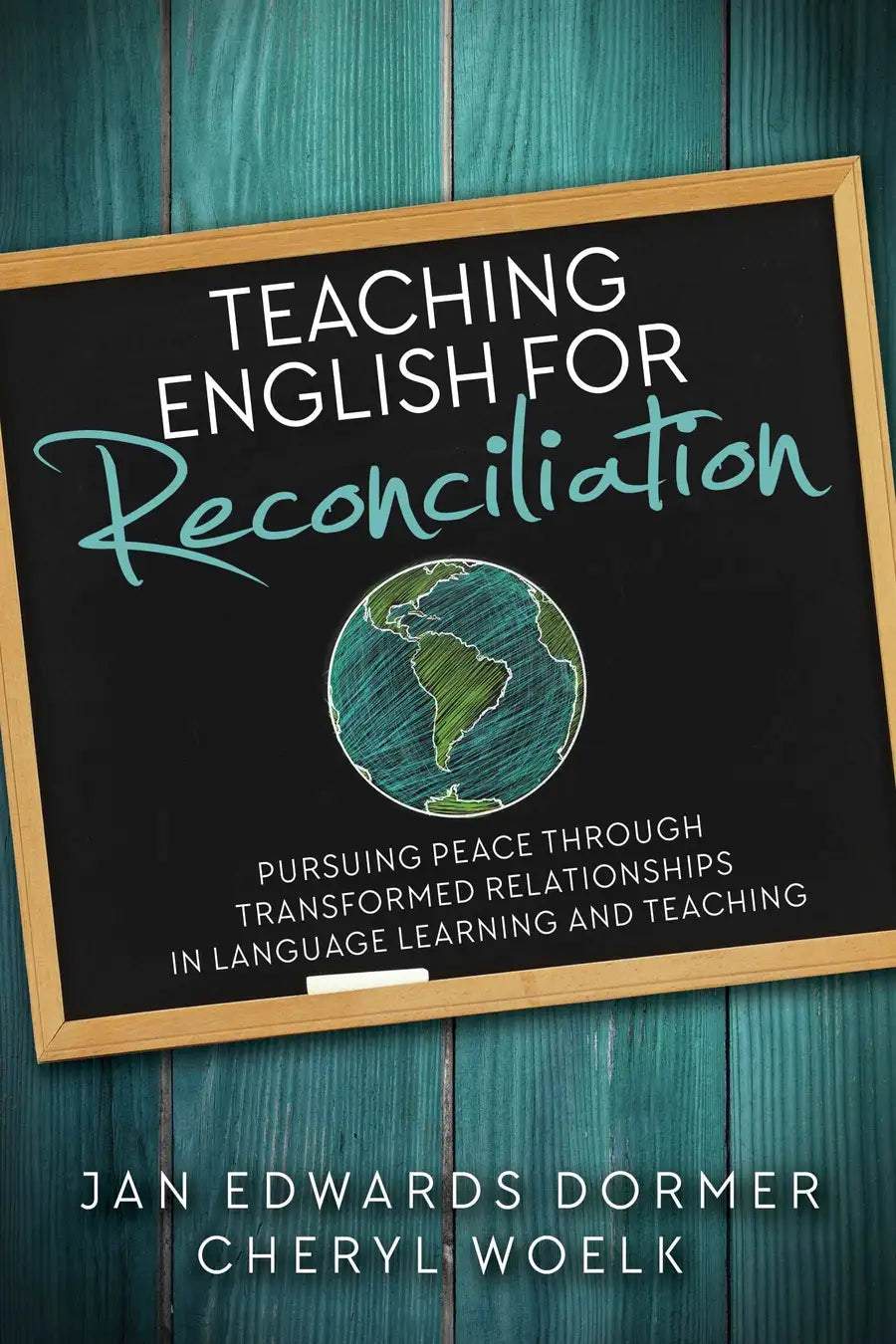
Teaching English for Reconciliation

Pursuing Peace through Transformed Relationships in Language Learning and Teaching
Jan Edwards Dormer
Jan Edwards Dormer

Dr. Jan Dormer experienced language learning as an MK growing up in Brazil and as an adult serving in Indonesia. She adds to her own experiences a thirty-year career in TESOL and SAL, teaching language learners of all ages in many different contexts. She received an EdD in Language Education from the University of Toronto. Jan is the author of Teaching English in Missions and the co-author of Teaching English in Missions and Teaching English for Reconciliation. She is professor of TESOL in the graduate program at Messiah University. Jan loves to hear from readers, and can be contacted at jan.dormer@gmail.com. 

and Cheryl Woelk
Cheryl Woelk

Cheryl Woelk is a language instructor and peace educator, teaching and consulting in multicultural settings. She holds a BA in English, an MA in Education, and certificates in TESOL and Conflict Transformation. With roots in Saskatchewan, Canada, she teaches and coordinates the Language for Peace project from Seoul, South Korea.

William Carey Publishing customer support: publishing@wclbooks.com
Lumina Reader technical customer support: support@luminareader.com

Getting Started

How do I purchase an eBook?
  • Go to missionbooks.org and complete checkout with the eBook(s) you would like to purchase.
  • You will receive an order confirmation email from missionbooks.org.
  • You will also receive an email with instructions for accessing your eBooks in the Lumina app.

Check your spam folder if you do not see the login code. If you do not receive the second email, contact publishing@wclbooks.com.

International users receive regional pricing when purchasing through missionbooks.org rather than through an in-app purchase.

What devices can I access my eBooks on?
  • iPhone and iPad running iOS 15.5 or later
  • Android phones and tablets running Android 8.0 or later
  • macOS desktops and laptops, using the iOS app
  • Any device with a web browser at Lumina Reader web platform

Older devices may run more slowly. Keep your device and app up to date for the best experience.

How do I download the Lumina Reader app?

Search for “Lumina Reader” in the Apple App Store or Google Play Store. Log in using the same email address you used at missionbooks.org. The app is not compatible with Amazon Kindle devices.

How do I log in to the Lumina Reader app?

Lumina Reader uses passwordless login.

  1. Open the Lumina Reader app.
  2. Enter the email address used at missionbooks.org.
  3. Check your email for a six-digit login code.
  4. Enter the code in the app.

You will remain logged in and retain access to your eBooks. If you log out, your library, reading progress, notes, and highlights remain saved, but you will need to download your eBooks again.

I can’t see my eBooks. What can I do?

Your eBooks should appear automatically when you log in with the email used at missionbooks.org. If they do not:

  • Confirm that you are using the correct email address. You can find the signed-in address on the Profile page.
  • Pull down from the top of the library screen to refresh it.
  • Update Lumina Reader through your device’s app store.

If your resources still do not appear, contact Lumina Customer Service.

Is there a Windows app for Lumina?

There is currently no Windows app. Windows users can access their eBooks through the Lumina Reader web platform.

Is there an Apple app for Lumina?

Yes. Lumina Reader is available in the Apple App Store for Mac, iPhone, and iPad.

Can the Lumina Reader app read the book aloud?

Yes. With an eBook open, tap the center of the screen to show settings. Select the megaphone icon in the top bar to read the current page aloud.

This feature is not available in the web-browser version.

Can I change the font size?

Yes. You can change font size, line height, and page margins in profile settings or within an eBook. While reading, tap the top center of the screen and select the “T” icon.

Web Version

How do I access the web version?
  1. Open Safari, Chrome, Firefox, or another preferred browser.
  2. Go to hub.luminareader.com.
  3. Log in with the email address used at missionbooks.org.
  4. Enter the six-digit code sent to your email.

Once logged in, you will have access to your eBooks.

How do I troubleshoot the web version?
  • Make sure you have a stable internet connection.
  • Clear your browser cache and cookies.
  • Use a current version of Safari, Chrome, or Firefox.
  • Confirm you are using the same email address used to purchase your eBooks.
  • Refresh your browser.

If problems persist, contact customer service.

App & Device Support

Can I download my content to multiple devices?

Yes. You can use Lumina Reader on up to six devices at the same time, provided you log in with the email address used to purchase the eBook.

To manage devices, go to Account → Registered devices in the app and unlink devices you no longer use.

  1. Install Lumina Reader from your device’s app store.
  2. Log in with the same purchase email address.
  3. Your library should sync automatically.

If access issues continue, refresh your library or log out and back in with the correct email address.

How do I check for the latest Lumina Reader app version?
  • On Apple devices, open the App Store and search for Lumina Reader.
  • On Android devices, open Google Play and search for Lumina Reader.

If an update is available, select Update. If issues remain, try deleting and reinstalling the app. Your eBooks and reading progress are saved to your account, but you will need to download the eBooks again.

How do I delete my Lumina Reader account?

Warning: Deleting your account is permanent. You will lose access to your account activity, preferences, and eBooks.

  1. Open the Lumina Reader app.
  2. Open the Profile tab in the lower-right corner, then select Account.
  3. Scroll to the bottom, select Delete account, confirm the checkboxes, then select Continue and delete account.

Some information may be retained for lawful reasons, including fraud prevention and accounting.

Can I get a refund for an eBook?

If you ordered an eBook by mistake, do not download it in the Lumina app. William Carey Publishing can then cancel the order and issue a full refund.

If you have downloaded it, access can still be removed and the order cancelled, but processing may take longer.

Can I buy an eBook as a gift for someone else?
  • Enter the recipient’s email address when purchasing the book.
  • The recipient will receive an email with download instructions.
  • For multiple recipients, purchase each book separately using each recipient’s email address.

Create Space in an English Class for Reconciliation.

How can an English class become a transformative space for both teachers and learners? When the teacher intentionally uses strategies and builds skills for peacebuilding and reconciliation, the classroom can be a place where relationships and communication transform people. This text encourages those engaged in the teaching of English as a second or foreign language to first consider why we might strive to teach English for reconciliation, and then addresses the contexts, individuals, and resources which are involved.

  • Dormer and Woelk’s well-informed, yet highly readable and practical book is an excellent introduction for any language teacher who wishes to help language learners discover how to interact more harmoniously with people from other groups and cultures, and even themselves become peacebuilders and agents of reconciliation. For Christians this book is particularly valuable as a guide to how the Christian peacemaking mandate can be incarnated and lived out in English language classrooms.
    — Don Snow, PhD Language and Culture Center, Duke Kunshan University
  • This is a refreshing work that encompasses the possibilities of English Language Teaching to open doors that lead to true reconciliation and peacebuilding in the current landscape of hostility that is all too familiar to us in our current day.
    — Laura Jacob, editor

Introduction

Part 1: The Foundation: Why Teach English for Reconciliation?

Ch. 1: Teaching for Conflict Resolution, Peacebuilding and Reconciliation

Ch. 2: Intersections of Language Learning and Reconciliation

Ch. 3: A Framework for Christians Teaching English for Reconciliatio

Part 2: The People: Who is Involved in Teaching English for Reconciliation?

Ch. 4: Community

Ch. 5: Learners

Ch. 6: Teachers

Part 3: The Resources: How Can We Teach English for Reconciliation?

Ch. 7: Creating Curricula for Peace and Reconciliation

Ch. 8: Adapting Curricula for Peace and Reconciliation

Ch. 9: Suggestions for Diverse Settings

Part 4: Contextualize

Chapter 9: Contextualize the Gospel

Chapter 10: Contextualize Community

Chapter 11: Contextualize What You Teach

Appendices

Appendix A: Suggested Activities
Appendix B: Sample Forms and Plans
Appendix C: Resources

Figures

1. Three lenses of a teaching English within a reconciliation framework

2. Sources and domains of power

3. REAL activities in teaching English for reconciliation Reconciliatory English Teaching Framework

Authors

  • Jan Edwards Dormer
    Jan Edwards Dormer

    Dr. Jan Dormer experienced language learning as an MK growing up in Brazil and as an adult serving in Indonesia. She adds to her own experiences a thirty-year career in TESOL and SAL, teaching language learners of all ages in many different contexts. She received an EdD in Language Education from the University of Toronto. Jan is the author of Teaching English in Missions and the co-author of Teaching English in Missions and Teaching English for Reconciliation. She is professor of TESOL in the graduate program at Messiah University. Jan loves to hear from readers, and can be contacted at jan.dormer@gmail.com. 

  • Cheryl Woelk
    Cheryl Woelk

    Cheryl Woelk is a language instructor and peace educator, teaching and consulting in multicultural settings. She holds a BA in English, an MA in Education, and certificates in TESOL and Conflict Transformation. With roots in Saskatchewan, Canada, she teaches and coordinates the Language for Peace project from Seoul, South Korea.

  • Pages: 202
  • Publisher: William Carey Publishing
    William Carey Publishing
  • Binding: Paperback
  • Publish Year: 2018
  • ISBN: 9780878085439
  • Vendor: William Carey Library
Cannot place order, conditions not met:
OK