
Resources that edify, equip, and empower disciples of Jesus to make disciples of Jesus.

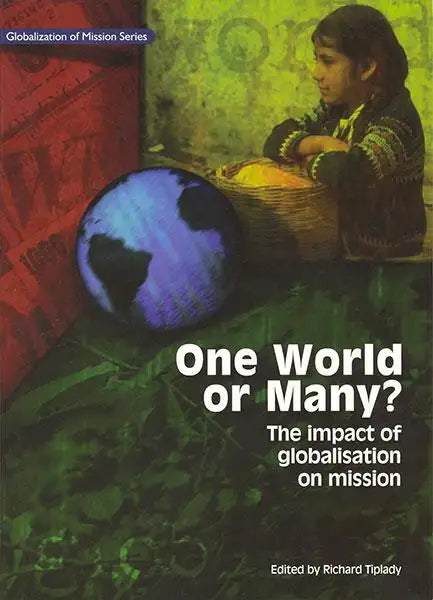
One World or Many?

The Impact of Globalisation on Mission
Richard Tiplady
Richard Tiplady

Richard Tiplady worked as an organizational development consultant for mission agencies, specializing in new projects and the future of world mission.  He hold degrees from London University and Nottingham University, including a master's degree in the theology of mission.  He was Associate Director of Global Connections (UK) from 1996 to 2002.  He is married to Irene, and they have one son, Jamie.  Both father and son are lifelong Manchester United supporters.

(Editor)

William Carey Publishing customer support: publishing@wclbooks.com
Lumina Reader technical customer support: support@luminareader.com

Getting Started

How do I purchase an eBook?
  • Go to missionbooks.org and complete checkout with the eBook(s) you would like to purchase.
  • You will receive an order confirmation email from missionbooks.org.
  • You will also receive an email with instructions for accessing your eBooks in the Lumina app.

Check your spam folder if you do not see the login code. If you do not receive the second email, contact publishing@wclbooks.com.

International users receive regional pricing when purchasing through missionbooks.org rather than through an in-app purchase.

What devices can I access my eBooks on?
  • iPhone and iPad running iOS 15.5 or later
  • Android phones and tablets running Android 8.0 or later
  • macOS desktops and laptops, using the iOS app
  • Any device with a web browser at Lumina Reader web platform

Older devices may run more slowly. Keep your device and app up to date for the best experience.

How do I download the Lumina Reader app?

Search for “Lumina Reader” in the Apple App Store or Google Play Store. Log in using the same email address you used at missionbooks.org. The app is not compatible with Amazon Kindle devices.

How do I log in to the Lumina Reader app?

Lumina Reader uses passwordless login.

  1. Open the Lumina Reader app.
  2. Enter the email address used at missionbooks.org.
  3. Check your email for a six-digit login code.
  4. Enter the code in the app.

You will remain logged in and retain access to your eBooks. If you log out, your library, reading progress, notes, and highlights remain saved, but you will need to download your eBooks again.

I can’t see my eBooks. What can I do?

Your eBooks should appear automatically when you log in with the email used at missionbooks.org. If they do not:

  • Confirm that you are using the correct email address. You can find the signed-in address on the Profile page.
  • Pull down from the top of the library screen to refresh it.
  • Update Lumina Reader through your device’s app store.

If your resources still do not appear, contact Lumina Customer Service.

Is there a Windows app for Lumina?

There is currently no Windows app. Windows users can access their eBooks through the Lumina Reader web platform.

Is there an Apple app for Lumina?

Yes. Lumina Reader is available in the Apple App Store for Mac, iPhone, and iPad.

Can the Lumina Reader app read the book aloud?

Yes. With an eBook open, tap the center of the screen to show settings. Select the megaphone icon in the top bar to read the current page aloud.

This feature is not available in the web-browser version.

Can I change the font size?

Yes. You can change font size, line height, and page margins in profile settings or within an eBook. While reading, tap the top center of the screen and select the “T” icon.

Web Version

How do I access the web version?
  1. Open Safari, Chrome, Firefox, or another preferred browser.
  2. Go to hub.luminareader.com.
  3. Log in with the email address used at missionbooks.org.
  4. Enter the six-digit code sent to your email.

Once logged in, you will have access to your eBooks.

How do I troubleshoot the web version?
  • Make sure you have a stable internet connection.
  • Clear your browser cache and cookies.
  • Use a current version of Safari, Chrome, or Firefox.
  • Confirm you are using the same email address used to purchase your eBooks.
  • Refresh your browser.

If problems persist, contact customer service.

App & Device Support

Can I download my content to multiple devices?

Yes. You can use Lumina Reader on up to six devices at the same time, provided you log in with the email address used to purchase the eBook.

To manage devices, go to Account → Registered devices in the app and unlink devices you no longer use.

  1. Install Lumina Reader from your device’s app store.
  2. Log in with the same purchase email address.
  3. Your library should sync automatically.

If access issues continue, refresh your library or log out and back in with the correct email address.

How do I check for the latest Lumina Reader app version?
  • On Apple devices, open the App Store and search for Lumina Reader.
  • On Android devices, open Google Play and search for Lumina Reader.

If an update is available, select Update. If issues remain, try deleting and reinstalling the app. Your eBooks and reading progress are saved to your account, but you will need to download the eBooks again.

How do I delete my Lumina Reader account?

Warning: Deleting your account is permanent. You will lose access to your account activity, preferences, and eBooks.

  1. Open the Lumina Reader app.
  2. Open the Profile tab in the lower-right corner, then select Account.
  3. Scroll to the bottom, select Delete account, confirm the checkboxes, then select Continue and delete account.

Some information may be retained for lawful reasons, including fraud prevention and accounting.

Can I get a refund for an eBook?

If you ordered an eBook by mistake, do not download it in the Lumina app. William Carey Publishing can then cancel the order and issue a full refund.

If you have downloaded it, access can still be removed and the order cancelled, but processing may take longer.

Can I buy an eBook as a gift for someone else?
  • Enter the recipient’s email address when purchasing the book.
  • The recipient will receive an email with download instructions.
  • For multiple recipients, purchase each book separately using each recipient’s email address.
This book considers in detail the key drivers of globalization, its contemporary shape, and its implications for world mission. It also looks at the impact of globalization on different contemporary issues affecting mission such as ethnicity, the environment, and global health as well as globalization’s effect on more traditional “missionary” questions of the world religions, contextualization, theology, and the church. One World or Many? is written by a variety of authors from all over the world.

This book was published in partnership with the World Evangelical Alliance.

  • This book is a sign of hope and a promise of what a carefully planned experience of global dialogue may mean fro the future of evangelical mission work and missiological reflection.  The authors' diversity explains the rich variety of styles, sources, and examples used in their writing about globalization as the new context of mission in the world today.  However, at the same time you will find a common thread of commitment to biblical truth and a passion for its communication and application.

    — Samuel Escobar
  • The aptness of the unchanging good news of Christ to the present sophisticated world will never be understood if we do not comprehend the issue of globalisation.  To be relevant in communicating Christ today, one cannot bypass this book of much effort.  Thanks to Richard Tiplady and his team's effective and well researched works on this issue of globalisation.

    — K. Rajendran, India Missions Association

Foreword- Samuel Escobar

Listing the usual suspects

Introduction

Part 1: Main Features

1. Globalisation and Economics: A World Gone Bananas- Ruth Valerio

2. Emerging Youth Cultures in the Era of Globalization: TechnoCulture and TerrorCulture- Sam George

3. TerrorCulture: Worth Living For or Worth Dying For: Sam George

4. Multiculturalism and Pluralization: Kissing Cousins of Globalization- David Lundy

Part 2: Specific Issues

5. Is God Colorblind or Colorful?- Miriam Adeney

6. Chainsaws, Planes, and Komodo Dragons: Globalisation and the Environment- Ruth Valerio

7. Globalisation and Healthcare Mission- Steven Fouch

8. Globalisation, Women, and Mission- Rose Dowsett

9. Globalisation: A View from Africa- Wanyeki Mahiaini

10. Globalisation from a Grassroots, Two-Thirds World Perspective: A Snapshot- Fiona Wilson

Part 3: Mission

11. Religion and the Future of Christianity in the Global Village- Bulus Galadima

12. Can the Global Replace the Local? - Marcelo Vargas

13. Mission Possible or Impossible? Learning Lessons from Theology's Engagement with Globalization- Warren Beattie

14. Globalization and the Church- Alex Araujo

15. Cutting out the Middleman: Mission and the Local Church in a Globalised Postmodern World- Ros Johnson

Conclusion

16. Globalization, World Evangelization, and Global Missiology- Steve S. Moon and David Tai-Woong Lee

Index

Editor

  • Richard Tiplady
    Richard Tiplady

    Richard Tiplady worked as an organizational development consultant for mission agencies, specializing in new projects and the future of world mission.  He hold degrees from London University and Nottingham University, including a master's degree in the theology of mission.  He was Associate Director of Global Connections (UK) from 1996 to 2002.  He is married to Irene, and they have one son, Jamie.  Both father and son are lifelong Manchester United supporters.

  • Pages: 286
  • Publisher: William Carey Publishing
    William Carey Publishing
  • Binding: Paperback
  • Publish Year: 2003
  • ISBN: 9780878084517
  • Vendor: William Carey Library
Cannot place order, conditions not met:
OK