
Resources that edify, equip, and empower disciples of Jesus to make disciples of Jesus.

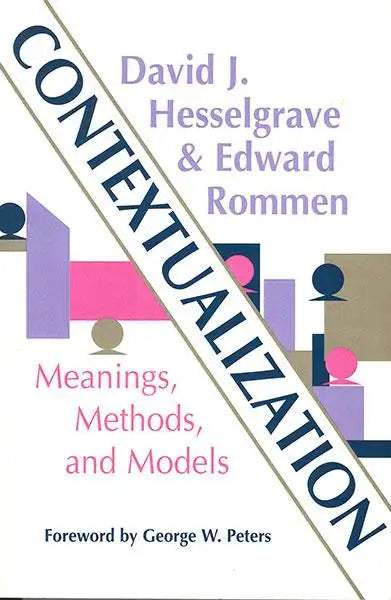
Contextualization

Meanings, Methods, and Models
David J. Hesselgrave (Author), Edward Rommen
Edward Rommen

Edward Rommen (DMiss, Trinity Evangelical Divinity School; PhD, Ludwig Maximillian University) planted churches and taught in Europe for fifteen years. He then returned to the United States to teach missions and theology and worked in pastoral ministry as an Orthodox priest. He is currently an adjunct professor at Duke Divinity School in Durham, North Carolina.

(Author)

William Carey Publishing customer support: publishing@wclbooks.com
Lumina Reader technical customer support: support@luminareader.com

Getting Started

How do I purchase an eBook?
  • Go to missionbooks.org and complete checkout with the eBook(s) you would like to purchase.
  • You will receive an order confirmation email from missionbooks.org.
  • You will also receive an email with instructions for accessing your eBooks in the Lumina app.

Check your spam folder if you do not see the login code. If you do not receive the second email, contact publishing@wclbooks.com.

International users receive regional pricing when purchasing through missionbooks.org rather than through an in-app purchase.

What devices can I access my eBooks on?
  • iPhone and iPad running iOS 15.5 or later
  • Android phones and tablets running Android 8.0 or later
  • macOS desktops and laptops, using the iOS app
  • Any device with a web browser at Lumina Reader web platform

Older devices may run more slowly. Keep your device and app up to date for the best experience.

How do I download the Lumina Reader app?

Search for “Lumina Reader” in the Apple App Store or Google Play Store. Log in using the same email address you used at missionbooks.org. The app is not compatible with Amazon Kindle devices.

How do I log in to the Lumina Reader app?

Lumina Reader uses passwordless login.

  1. Open the Lumina Reader app.
  2. Enter the email address used at missionbooks.org.
  3. Check your email for a six-digit login code.
  4. Enter the code in the app.

You will remain logged in and retain access to your eBooks. If you log out, your library, reading progress, notes, and highlights remain saved, but you will need to download your eBooks again.

I can’t see my eBooks. What can I do?

Your eBooks should appear automatically when you log in with the email used at missionbooks.org. If they do not:

  • Confirm that you are using the correct email address. You can find the signed-in address on the Profile page.
  • Pull down from the top of the library screen to refresh it.
  • Update Lumina Reader through your device’s app store.

If your resources still do not appear, contact Lumina Customer Service.

Is there a Windows app for Lumina?

There is currently no Windows app. Windows users can access their eBooks through the Lumina Reader web platform.

Is there an Apple app for Lumina?

Yes. Lumina Reader is available in the Apple App Store for Mac, iPhone, and iPad.

Can the Lumina Reader app read the book aloud?

Yes. With an eBook open, tap the center of the screen to show settings. Select the megaphone icon in the top bar to read the current page aloud.

This feature is not available in the web-browser version.

Can I change the font size?

Yes. You can change font size, line height, and page margins in profile settings or within an eBook. While reading, tap the top center of the screen and select the “T” icon.

Web Version

How do I access the web version?
  1. Open Safari, Chrome, Firefox, or another preferred browser.
  2. Go to hub.luminareader.com.
  3. Log in with the email address used at missionbooks.org.
  4. Enter the six-digit code sent to your email.

Once logged in, you will have access to your eBooks.

How do I troubleshoot the web version?
  • Make sure you have a stable internet connection.
  • Clear your browser cache and cookies.
  • Use a current version of Safari, Chrome, or Firefox.
  • Confirm you are using the same email address used to purchase your eBooks.
  • Refresh your browser.

If problems persist, contact customer service.

App & Device Support

Can I download my content to multiple devices?

Yes. You can use Lumina Reader on up to six devices at the same time, provided you log in with the email address used to purchase the eBook.

To manage devices, go to Account → Registered devices in the app and unlink devices you no longer use.

  1. Install Lumina Reader from your device’s app store.
  2. Log in with the same purchase email address.
  3. Your library should sync automatically.

If access issues continue, refresh your library or log out and back in with the correct email address.

How do I check for the latest Lumina Reader app version?
  • On Apple devices, open the App Store and search for Lumina Reader.
  • On Android devices, open Google Play and search for Lumina Reader.

If an update is available, select Update. If issues remain, try deleting and reinstalling the app. Your eBooks and reading progress are saved to your account, but you will need to download the eBooks again.

How do I delete my Lumina Reader account?

Warning: Deleting your account is permanent. You will lose access to your account activity, preferences, and eBooks.

  1. Open the Lumina Reader app.
  2. Open the Profile tab in the lower-right corner, then select Account.
  3. Scroll to the bottom, select Delete account, confirm the checkboxes, then select Continue and delete account.

Some information may be retained for lawful reasons, including fraud prevention and accounting.

Can I get a refund for an eBook?

If you ordered an eBook by mistake, do not download it in the Lumina app. William Carey Publishing can then cancel the order and issue a full refund.

If you have downloaded it, access can still be removed and the order cancelled, but processing may take longer.

Can I buy an eBook as a gift for someone else?
  • Enter the recipient’s email address when purchasing the book.
  • The recipient will receive an email with download instructions.
  • For multiple recipients, purchase each book separately using each recipient’s email address.
Contextualization: Meanings, Methods, and Models is a classic textbook that brings together the meanings, proposals, and tasks involved in contextualization. The authors trace its historical development, beginning with its roots in the Bible and early Church. They examine how cultural, linguistic, and theological elements influence the way the Gospel is communicated across different contexts. The book highlights how the Church has wrestled with expressing timeless truths in culturally relevant ways, while maintaining biblical integrity.

Hesselgrave and Rommen engage with the ideas of key theologians and missiologists, evaluating a range of contextualization models—from traditional mission methods to more adaptive, culture-centered approaches. They provide a balanced critique of these proposals, identifying both strengths and limitations. The authors conclude by offering their own definition and approach to contextualization—one that is both faithful to Scripture and practically effective for global mission work today.

  • Those who have come to expect expert analysis of contextualization from David Hesselgrave will not be disappointed with this work.  His expertise shines through in this book.

    — from the Foreword, George W. Peters

Foreword by George W. Peters

Preface

Part 1- The Historical Background of Contextualization

Introduction to Part 1

1. Reflections from the Old and New Testaments

2. Reflections from the History of the Church and its Missions

3. What Is New?

Part 2- Contemporary Understanding of and Approaches to Contextualization

Introduction to Part 2

4. Europe: Jurgen Moltmann

5. Anglo-America: Bruce J. Nicholls and Charles H. Kraft

6. Asia: M.M. Thomas and Kosuke Koyama

7. Latin America: Gustavo Guierrez and Jose Miguez-Bonino

8. Africa: John S. Mbiti and Byang H. Kato

9. The Middle East: Kenneth E. Bailey and Tim Matheny

Part 3- Framework for Analysis

Introduction to Part 3

10. A Philosophical Perspective: Genres of Revelational Epistemology

11. A Theological Perspective: The Contextualization Continuum

12. An Anthropological Perspective: Language and Meaning

13. A Hermeneutical Perspective: Basic Assumptions and Patterns

14. A Communication Perspective: The Semantic Problem and the Communication Process

Part 4- Authentic and Relevant Contextualization: Some Proposals

Introduction to Part 4

15. Contextualization That Is Authentic and Relevant

16. A Contextualized Christian Worldview: A Catechism for Tribals

17. A Contextualization of the New Birth Message: an Evangelistic Tract for Chinese People

18. The Doctrine of Justification by Faith Contextualized: Commentaries on Galatians 2 for Sixteenth-Century Europe and Twentieth-Century India

19. A Contextualization for Muslims: A Debate

20. A Contextualized Sermon for Nominal Christian in Central and Northern Europe: The Lordship of Christ

Bibliography

Index of Subjects

Author

  • Edward Rommen
    Edward Rommen

    Edward Rommen (DMiss, Trinity Evangelical Divinity School; PhD, Ludwig Maximillian University) planted churches and taught in Europe for fifteen years. He then returned to the United States to teach missions and theology and worked in pastoral ministry as an Orthodox priest. He is currently an adjunct professor at Duke Divinity School in Durham, North Carolina.

  • Pages: 294
  • Publisher: William Carey Publishing
    William Carey Publishing
  • Binding: Paperback
  • Publish Year: 2000
  • ISBN: 9780878087754
  • Vendor: William Carey Library
Cannot place order, conditions not met:
OK